Site audit tool
A site audit that finds what's broken and shows what changed.
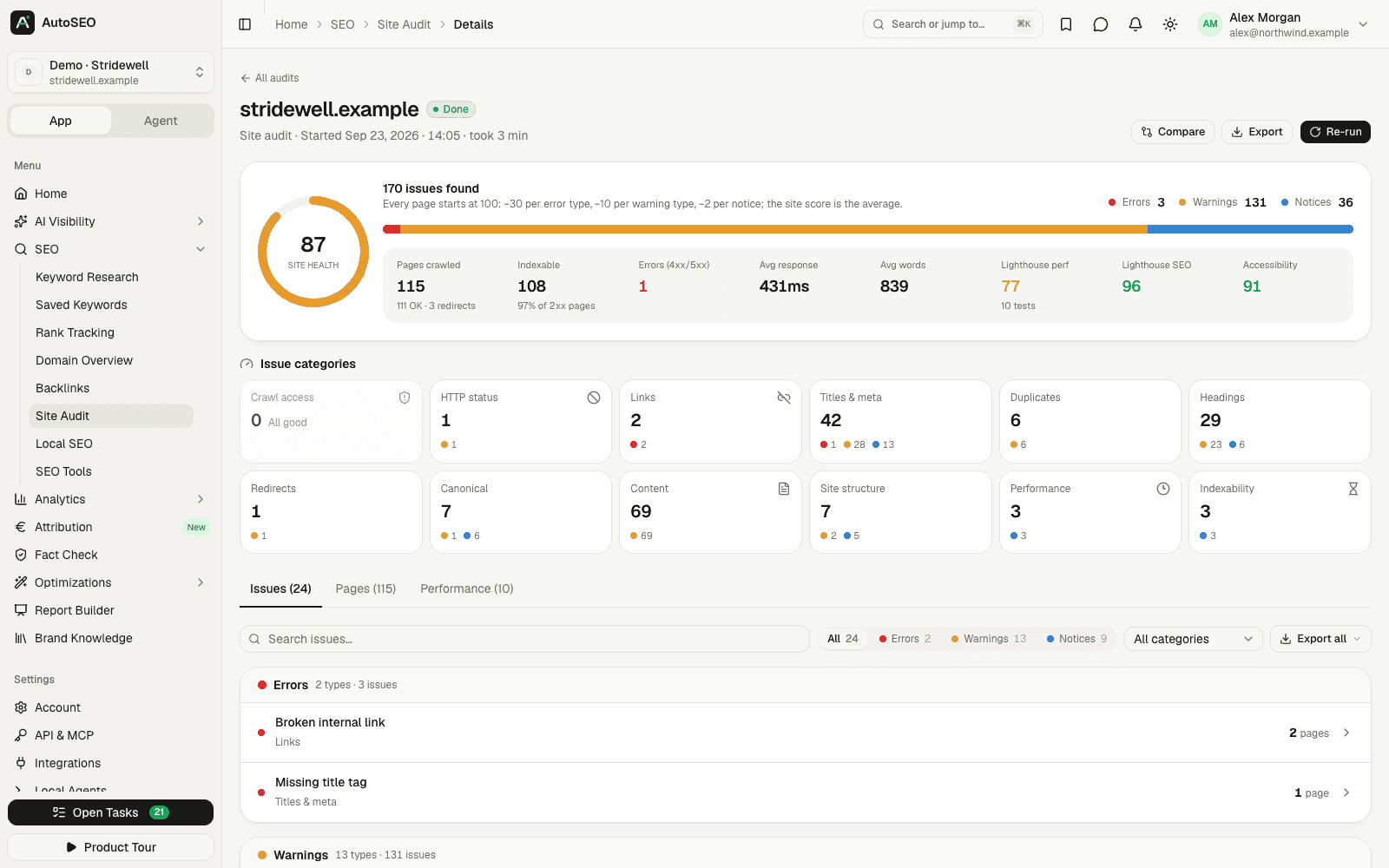
AutoSEO's built-in crawler checks your pages for 29 technical SEO issues — broken links, redirect chains, duplicate titles, canonical conflicts, thin content and more — adds Lighthouse scores and tracks your health score from run to run.
Why it matters
Technical problems cost visibility in search and in AI answers.
Search engines and AI assistants can only rank or cite pages they can reach, read and understand. Broken links, redirect loops, noindex tags and slow responses quietly take pages out of the running.
- 01
Small issues add up
One missing title is harmless. Hundreds of duplicate titles, orphan pages and redirect chains dilute the signals of the whole site.
- 02
Sites change every week
New pages, plugins and releases introduce new errors. Scheduled audits catch them before your rankings do.
- 03
Fixes need proof
Comparing two runs shows which issues are resolved and which are new, so you know a release really fixed them.
- Technical checks
- 29
- Errors, warnings and notices
- Issue categories
- 12
- From crawl access to indexability
- Lighthouse categories
- 4
- Performance, accessibility, best practices, SEO
- Self-hosted
- $0
- MIT licensed, every feature
What gets checked
A complete technical audit, without a desktop crawler.
29 technical checks
HTTP errors, broken internal links, redirects, titles and meta descriptions, headings, canonicals, duplicates, thin content, alt text and indexability.
Lighthouse scores
Performance, accessibility, best practices and SEO for up to 10 sample pages on mobile and desktop, via PageSpeed Insights or DataForSEO.
Health score and history
A 0–100 health score for the site and for every page, with a history of all runs so you can follow the trend.
Run comparisons
Pick two audits and see issue counts before and after, plus lists of new and resolved issues with the affected pages.
Site structure
Crawl depth, inlinks, orphan pages and dead ends for every URL, discovered from links, robots.txt and your XML sitemaps.
Scheduled audits and alerts
Run audits weekly or monthly and get an in-app and email alert when the health score drops.
How it works
From crawl to fix list in three steps.
- 1 Step 1
Start an audit
Enter a start URL and how many pages to crawl, and decide whether to run Lighthouse. The crawler respects robots.txt and reads your sitemaps.
- 2 Step 2
Review issues by severity
Issues are grouped into errors, warnings and notices across 12 categories, each with an explanation, how to fix it and the affected pages.
- 3 Step 3
Fix, re-run and compare
Re-run the audit after a release, compare it with the previous run, and schedule weekly or monthly audits to keep watch.
FAQ
Frequently asked questions
What is a site audit?
A site audit crawls your website the way a search engine does and flags technical problems that can hurt rankings, such as broken links, redirect chains, duplicate titles or pages blocked from indexing. AutoSEO's crawler runs 29 checks and scores each page and the whole site from 0 to 100.
What does the AutoSEO site audit check?
It covers 12 categories: crawl access, HTTP status, links, titles and meta descriptions, duplicates, headings, redirects, canonicals, content, site structure, server response time and indexability. Every issue comes with an explanation and how to fix it.
How many pages can I crawl?
You set the number of pages per audit, from 10 up to the limit configured for your AutoSEO — 2,000 pages by default. When you self-host, admins can change that limit in the admin panel.
Does the site audit include Lighthouse and Core Web Vitals?
Yes, optionally. AutoSEO runs Lighthouse on the homepage and one page per URL template, up to 10 pages on mobile and desktop, and stores the category scores and lab metrics such as LCP, TBT and CLS. It uses Google PageSpeed Insights for free or DataForSEO.
Can I schedule recurring site audits?
Yes. Schedule an audit weekly or monthly per project. When the health score of a scheduled run drops, AutoSEO sends an in-app notification and an email.
Can I compare two audits?
Yes. Select any two runs to see the change in every issue type, plus the issues that are new and the ones that were resolved. It's the quickest way to confirm that a release fixed what it should.
Does the site audit check AI crawler access?
The site audit reports pages the crawler couldn't read, for example because of bot protection or rate limits. For robots.txt rules per AI bot and llms.txt, use the separate AI crawlability check in AutoSEO.
Is the site audit tool free?
Yes. The crawler is part of the open-source AutoSEO app and free to self-host, with no per-page fees. Lighthouse runs through the free PageSpeed Insights API, and DataForSEO is optional. AutoSEO Cloud gives you a managed workspace for $50 per month with $10 of AI and data usage included.
Related features
Works better together. One platform, one dataset.
- AI crawlability checkCheck whether AI crawlers can reach and read your site, with fixes you can paste in.
- Rank trackingTrack Google positions on desktop and mobile, by country or city, on your schedule.
- AI SEO tasksEvidence-backed GEO and SEO tasks, prioritized and pushed to Jira, Linear or Asana.
- Report builderBranded client reports with live data, 11 templates, PPTX/PDF export and share links.
Find out what's holding your site back
Start with an AutoSEO Cloud workspace for $50/month, or self-host the open-source edition for free.